Release Roundup | September 21, 2026
.png)
New ways to understand, focus, and expand your Plan Review
This release lets you review plans against your own standards and project-specific requirements, makes Plan Review more transparent about how it reaches a finding, and reduces noise from minor or non-actionable issues.
New: Review plans against your own documents with Custom Review
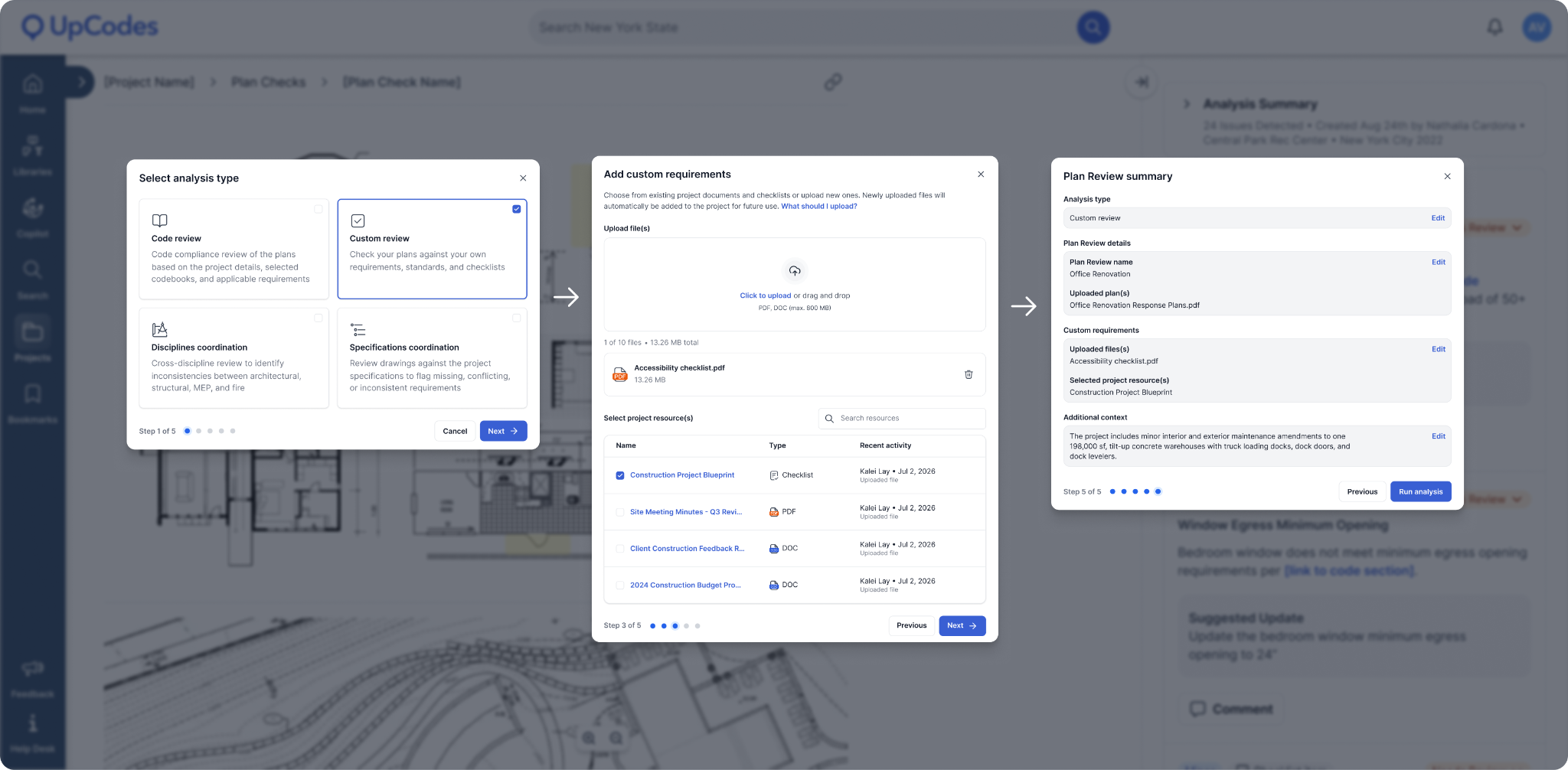
Project requirements don't all live in the building code. Teams may also need to review drawings against firm standards, owner criteria, zoning criteria, material specifications, or other project-specific documents.
Custom Review lets you bring those requirements into Plan Review.
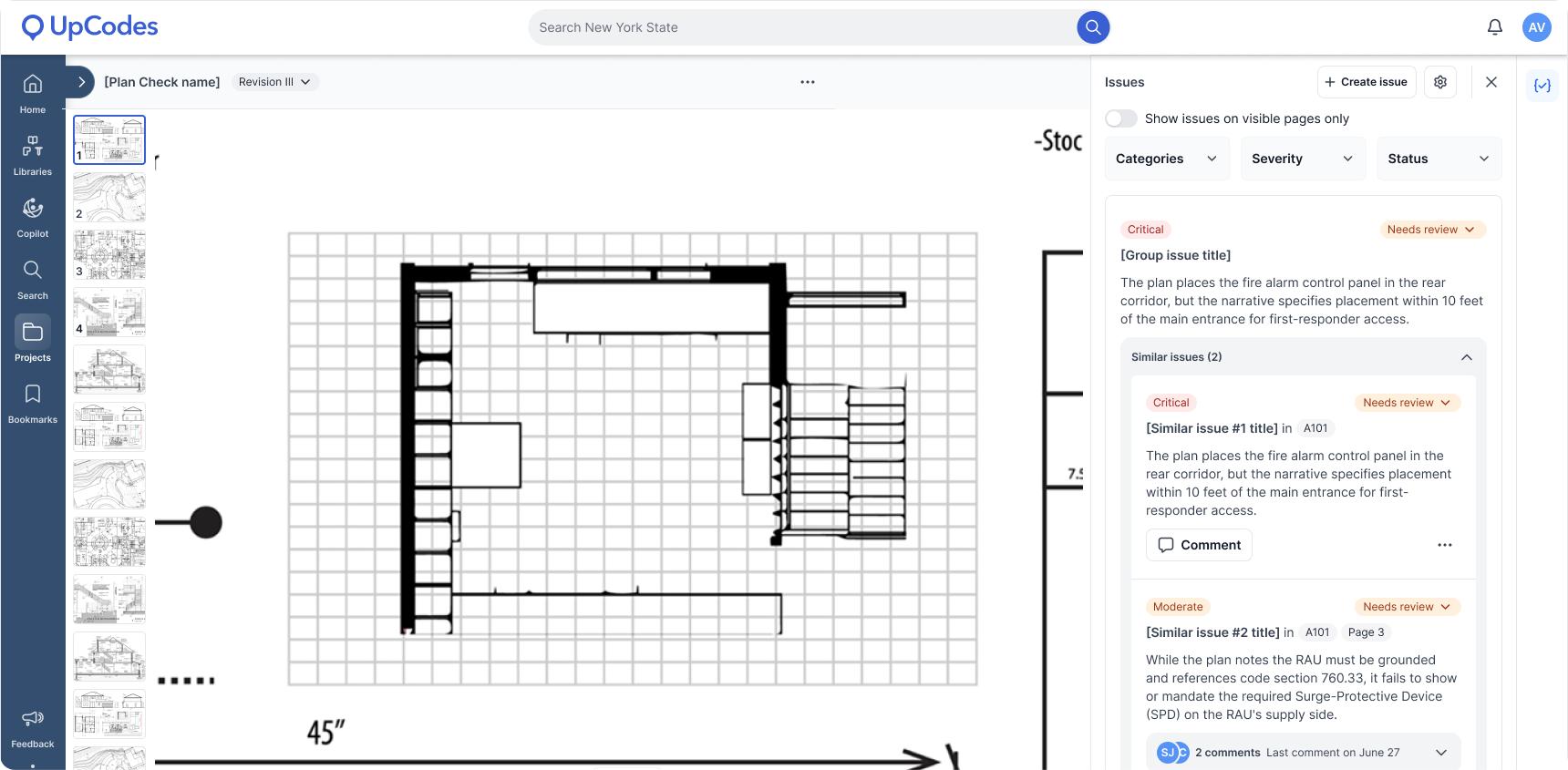
Upload a PDF reference document or QA/QC checklist and use it as the basis for reviewing your plans. When Plan Review identifies a potential issue, it connects the finding back to both the plan set and the relevant location in your custom document.
In the Plan Review viewer, you can see the drawing alongside the supporting custom document, making it easier to understand which requirement triggered the finding and to compare the two sources without manually switching between files.
This gives teams a way to extend Plan Review beyond predefined review types and incorporate more of the standards and requirements they already use during QA/QC.
Custom Review scans the full plan set and applies 1 Plan Review credit per analyzed page.
Try it: Start a Custom Review, add a PDF containing your project requirements, and run it against your plan set. Open a finding to compare the drawing with the relevant source document.
New: See the reasoning behind a finding
AI Plan Review is most useful when you can understand and validate the work behind the result, not just see the final answer.
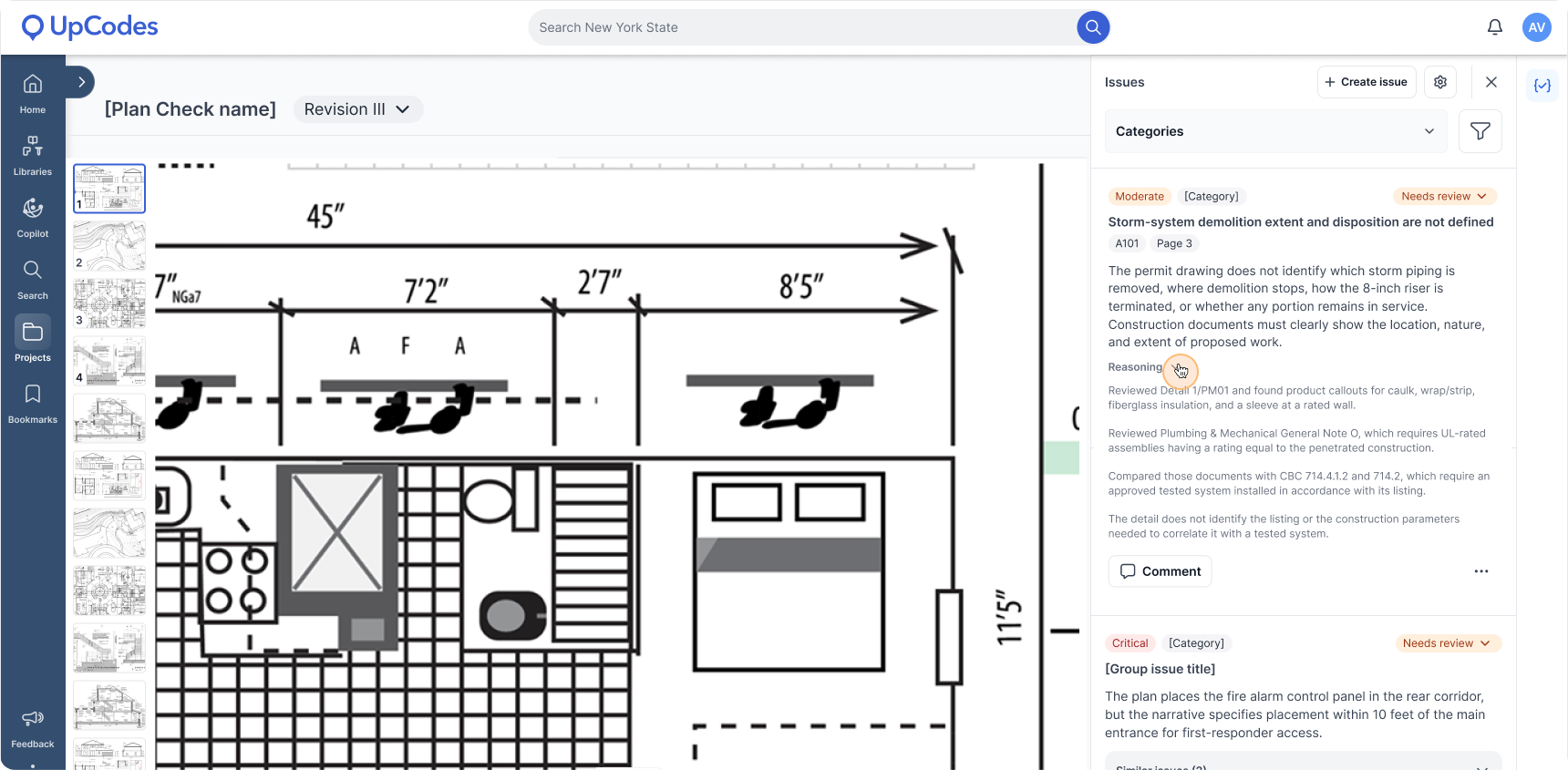
You can now expand the reasoning within a Plan Review issue to see how the analysis arrived at its conclusion. This gives you more visibility into the evidence Plan Review considered, so you can check its work and decide whether the finding is relevant to your project.
The reasoning is collapsed by default to keep issues easy to scan, but it's available whenever you want to dig deeper.
Seeing the reasoning can be especially useful for more complicated findings. Plan Review may need to reference information elsewhere in the drawing set to understand a condition, including relevant pages that aren't directly linked to the issue. The reasoning helps you trace those connections and better understand how the finding was reached.
The goal is to make Plan Review less of a black box: you’ll continue to bring your professional judgment to the QA/QC process, but you’ll have more information to evaluate the analysis before deciding what to do next.
Try it: Run a new Plan Review, open an issue, and expand the reasoning to see how the finding was reached and what information from the plan set contributed to it.
Improved: More focused review results
A longer issue list isn't necessarily a better review.
We've updated Plan Review to filter out more minor and non-actionable findings that are unlikely to result in a change to the drawings. These types of findings can add noise, make higher-priority issues harder to find, and create additional work for teams evaluating the results.
Plan Review will now focus more heavily on findings that are truly actionable for your team.
This doesn't mean every surfaced issue will carry the same level of risk or require the same response. Instead, the goal is to reduce the number of findings that are unlikely to require action, so teams can spend more time evaluating higher-priority issues.
Try it: Run a new Plan Review and work through the issue list to see a more focused set of findings for your project.