Release Roundup | August 27, 2026
.avif)
Projects, Specifications & Plan Review updates
This release makes project details easier to scan at a glance, cuts down the manual, error-prone work of keeping specs up to date, and gives Plan Review admins tools to track, export, and hand off issues across large reviews.
General
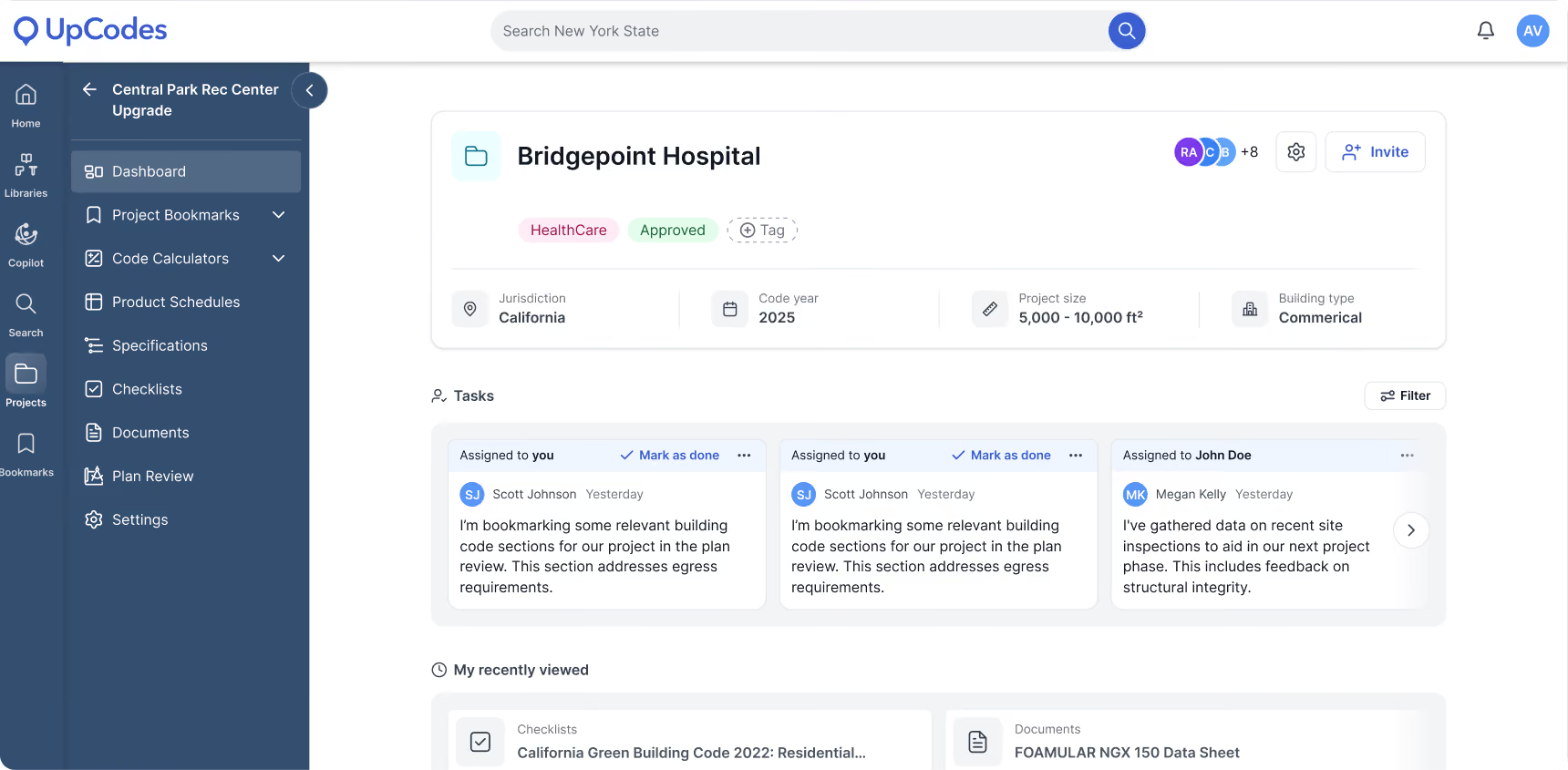
Project dashboard refresh
The dashboard has a cleaner, reorganized header that surfaces key project metadata (jurisdiction, code year, project size, and project type) right at the top level, so the details you check most are visible without digging.
Sharing is now a condensed workflow: you can add a project image to make projects easier to identify, and Tasks, Recently Viewed, and Bookmarks are consolidated into a single, simpler main view that matches your main dashboard.
Specifications
Spec variables
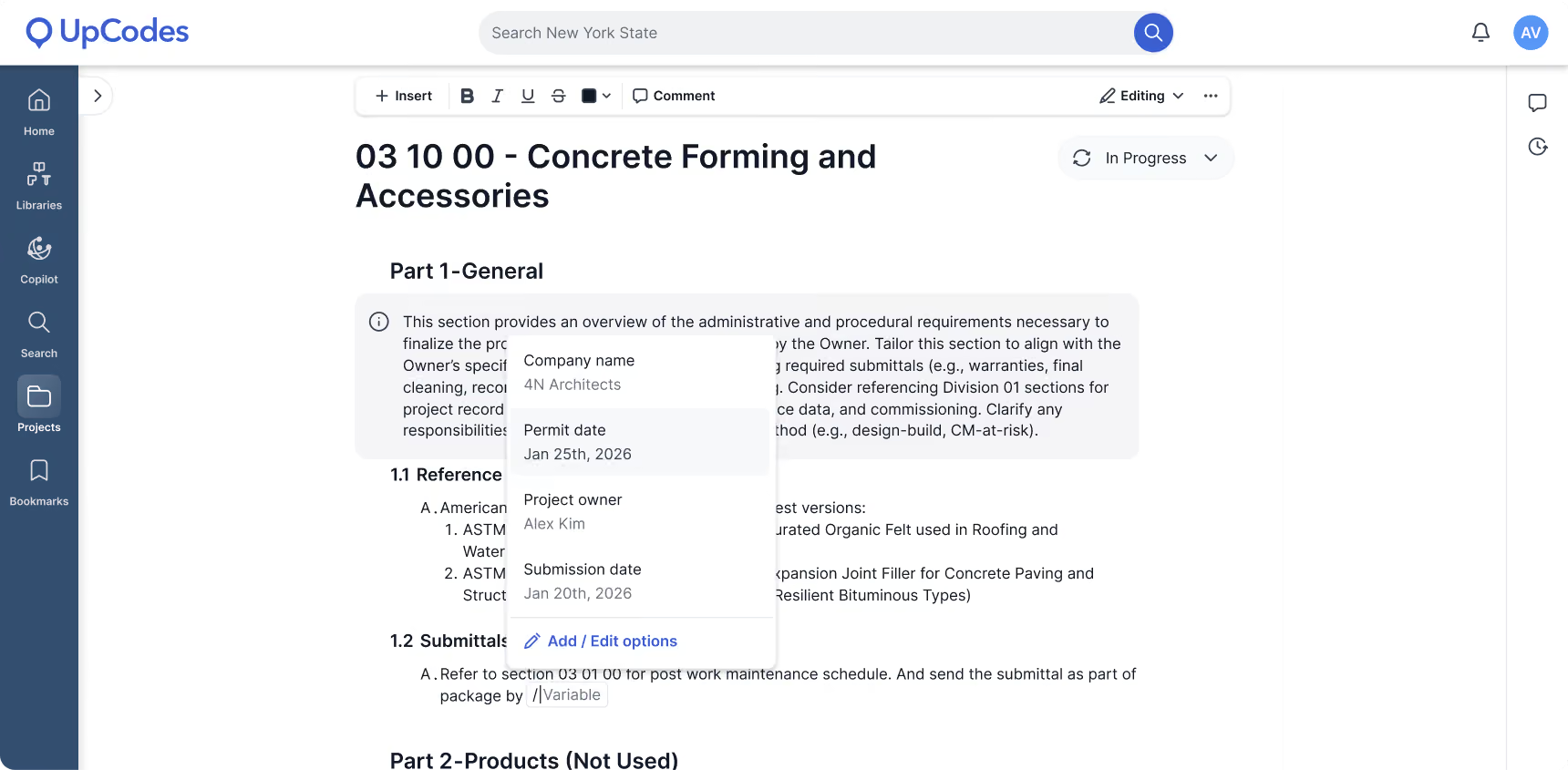
Define project-specific values like project name, client, location, and bidding or engineer/architect dates once, then reference them dynamically anywhere in the spec.
Previously, these details had to be added continuously throughout the spec sheet, so any change meant searching and manually updating every instance across a long spec. That work was time-consuming and easy to get wrong.
Now you update a variable once, and all references stay up to date. Project owners can create and manage variables directly from the editor, while other users see a tooltip pointing them to the project owner. Restoring an older version handles variables cleanly: a deleted variable comes back as the plain text it held at the time, and existing variables keep their current value.
Export spec sections as separate files
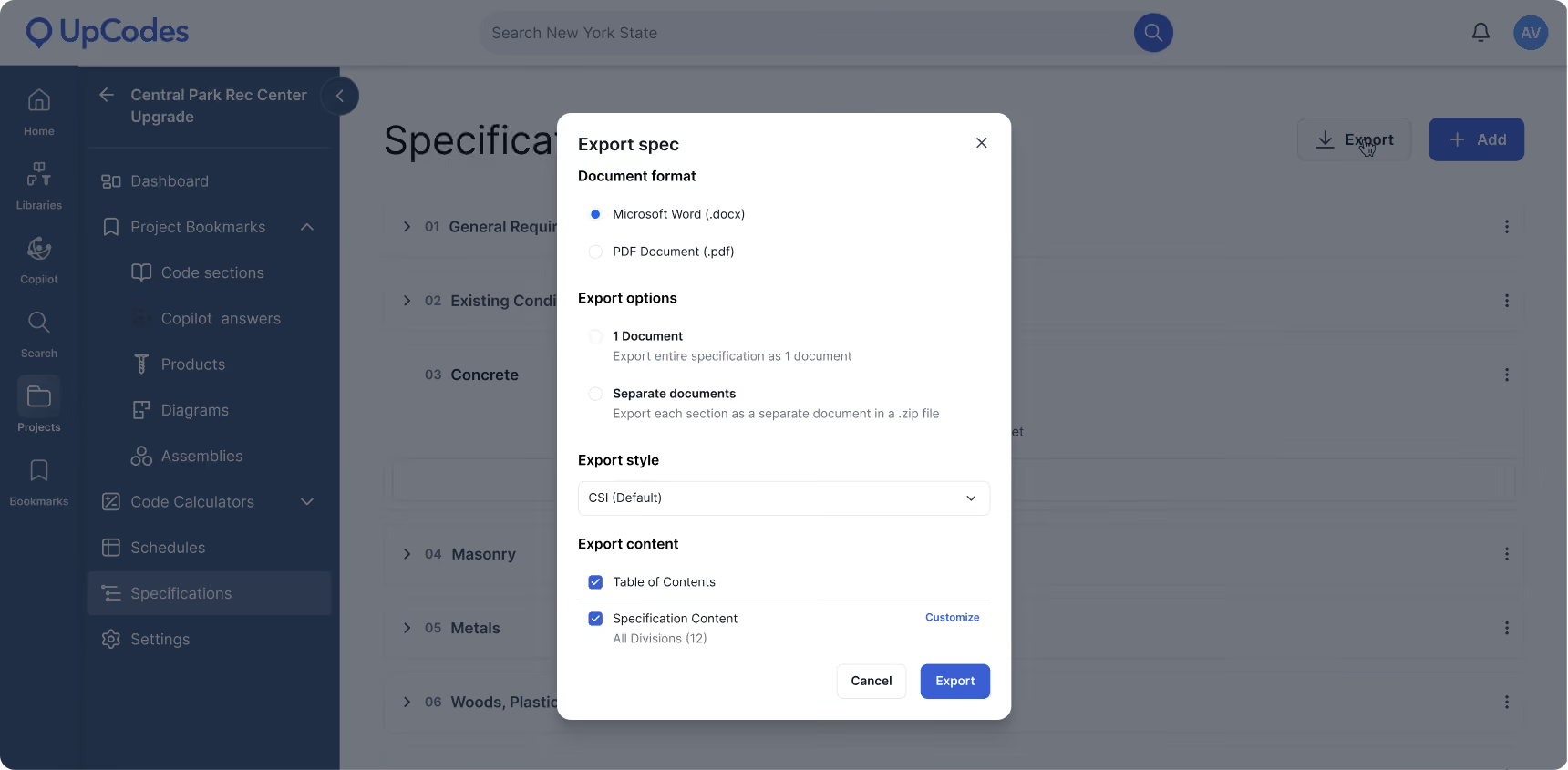
Export the full spec as a single document, or download each section as its own file in a ZIP archive. When you export sections individually, a new section-level page numbering option (@page-number-2) restarts numbering at page 1 for each sheet instead of carrying continuous numbers from the full document.
Previously, a standalone section could open on page 48 or 132, which was confusing to read and share on its own. Now each exported section reads cleanly from page 1, and you can still pair it with the section-number tag if you want "{section number} - 1" style numbering.
Plan Review
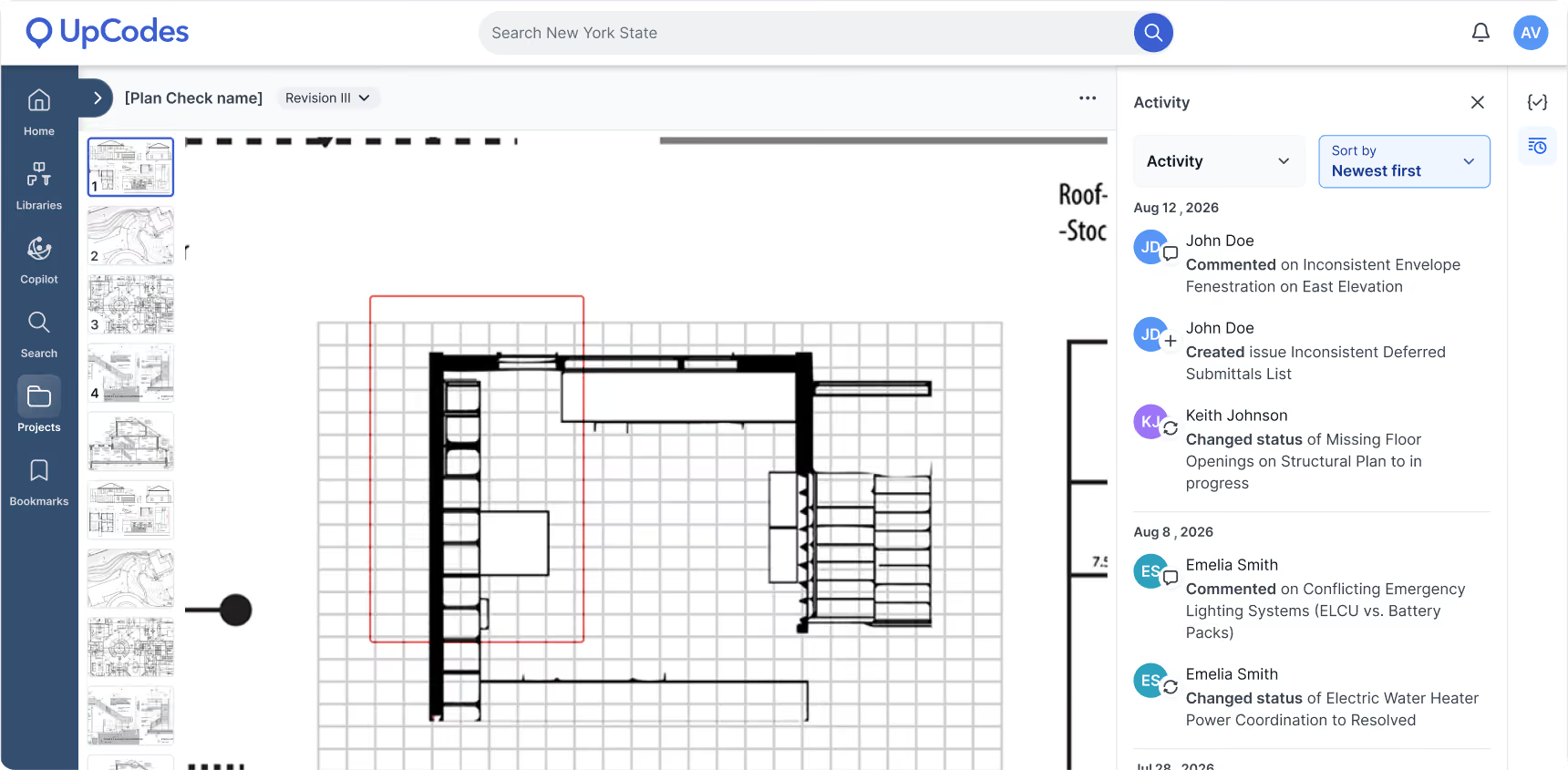
Activity feed
See recent Plan Review activity in one place, including new issues, status changes, and added comments.
Reviews often contain dozens or hundreds of issues, so it was hard for an admin to keep track of what was changing throughout the review. Now, the feed gives you a single, continuous record of what's happening, so nothing slips by.
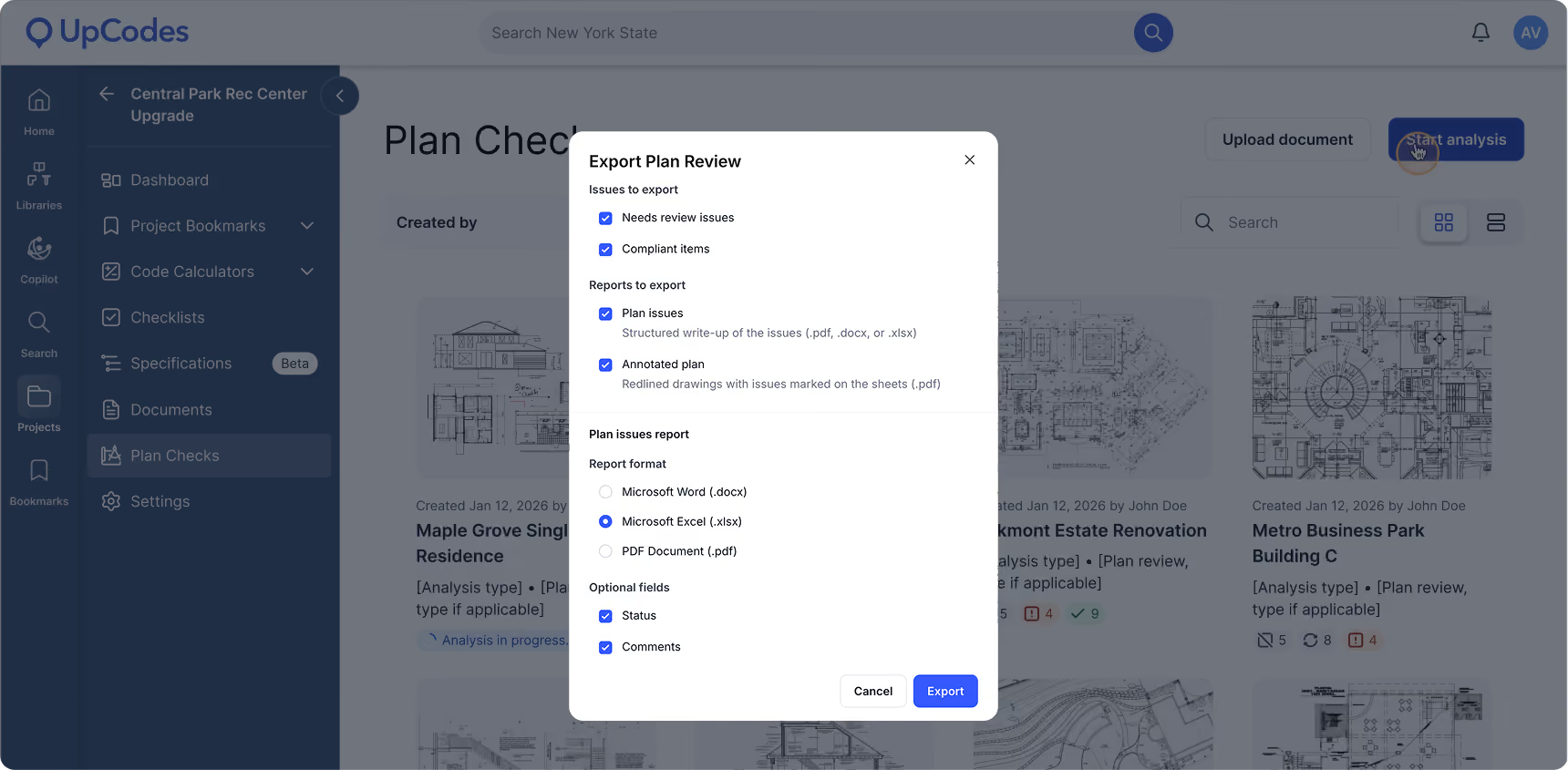
Export issues to Excel
Export your Plan Review issue table directly to an Excel (.xlsx) file from the issue export modal, alongside the existing Word and PDF options.
This gives you the same issue table in a format you can sort, filter, and work with outside UpCodes.
Issue assignments
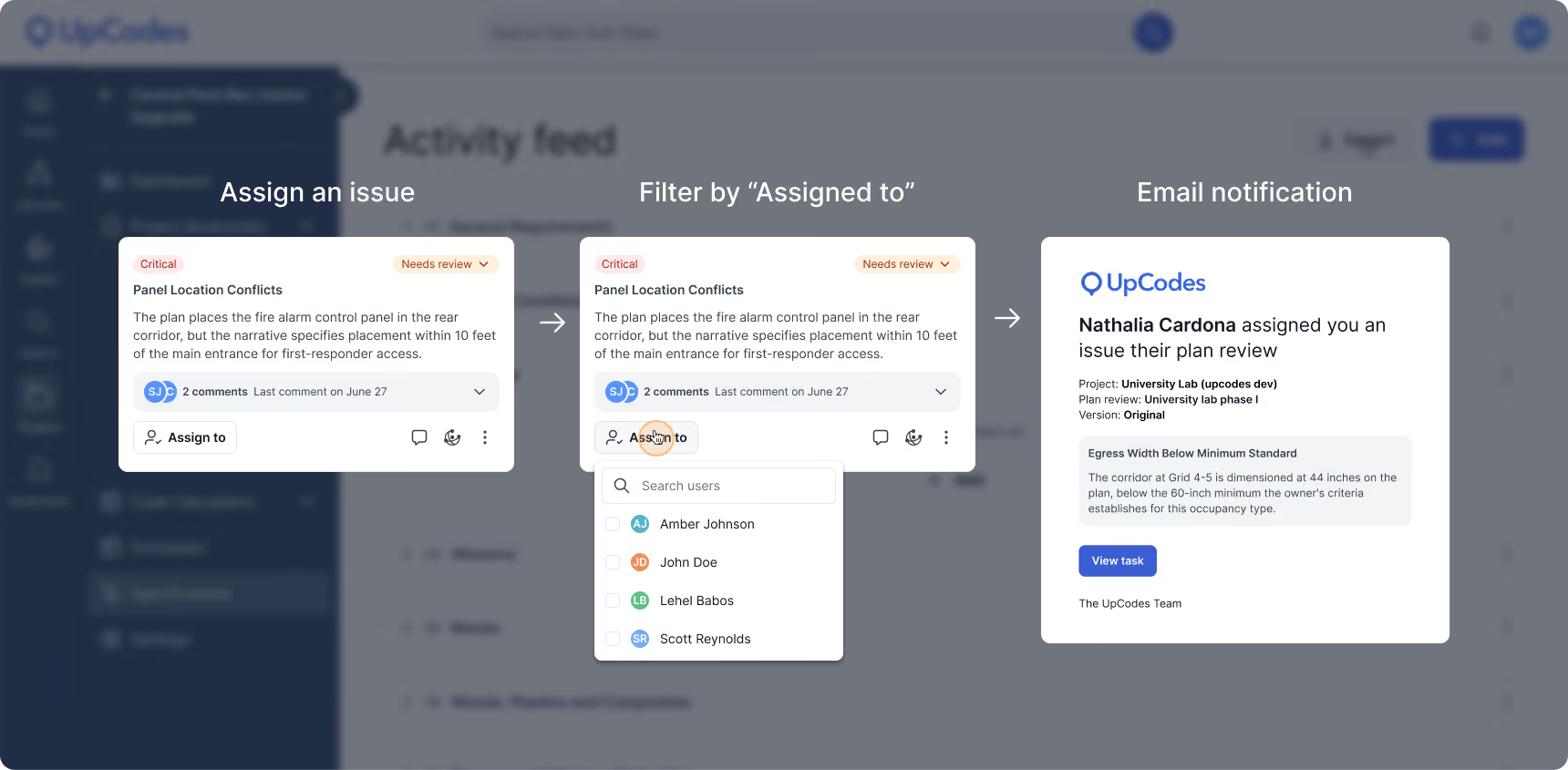
Assign an issue to one or more team members, or use the filter to narrow the list to only what's assigned to you. The "only show issues on this page" toggle now lives in that same filter dropdown.
When someone is assigned an issue, they are automatically emailed a link. Clicking "View task" takes them straight into the product, opens the correct plan review, and selects the exact issue assigned to them, so there is no need to hunt for it.