Introducing Suggesting Mode and Version Control for UpCodes Specifications
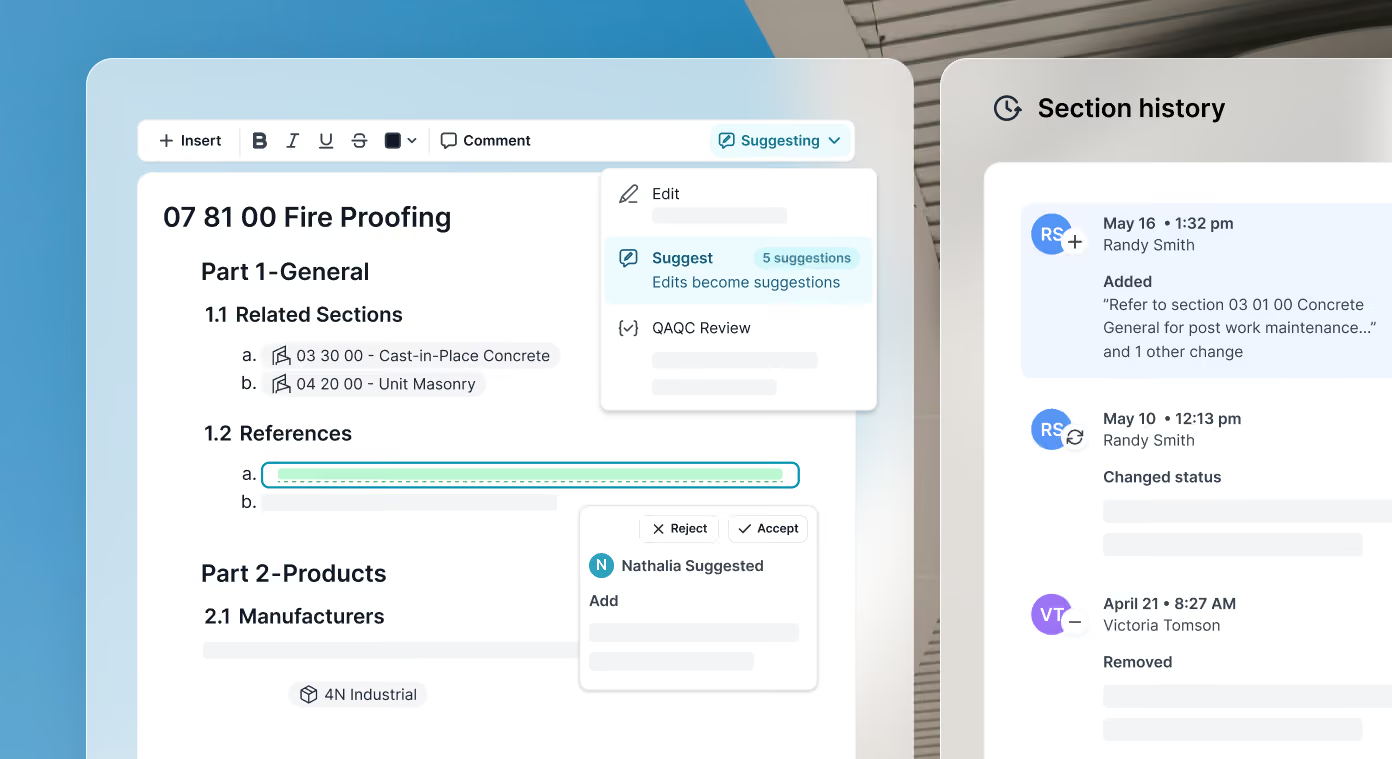
Specifications are collaborative documents, but most spec workflows still aren’t built that way.
Teams often review specs through disconnected Word files, email redlines, or manual markup workflows. This makes it difficult to track decisions, understand how a document has evolved, coordinate across teams, and update office standards confidently.
Today we’re introducing two major workflow improvements for UpCodes Specifications: Suggesting Mode and Version Control.
Together, these features make specification review more collaborative, transparent, and resilient.
Suggesting Mode: Review without overwriting
Suggesting Mode allows users to propose edits directly inside the spec without immediately changing live content.
With Suggesting Mode, teams can propose additions, deletions, and replacements directly. Reviewers can approve or reject each edit, including formatting and dropdown changes, while a clear record tracks who changed what and when. Linked comment threads keep discussions tied to the content being reviewed.
.avif)
Instead of sending disconnected markups or rewriting content manually, reviewers can collaborate directly in-context while maintaining clear accountability over what was accepted or rejected.
The result is a cleaner review process across internal QA/QC, consultant coordination, owner reviews, and office standards management.
Version Control: Safer collaboration for specs
We’re also introducing version history for Specifications.
Version History lets teams review previous iterations of a specification, see exactly who made changes and when, compare revisions, and restore earlier versions whenever needed.
.avif)
Version Control gives teams a reliable audit trail and makes collaboration safer, especially when multiple contributors are editing the same specification.
Instead of worrying about losing work or overwriting standards, teams can confidently iterate knowing prior versions are always accessible.
Built for real spec workflows
These features are designed to make day-to-day spec coordination easier. They are built for firms managing large project teams, multi-office collaboration, consultant review cycles, office master maintenance, and ongoing revisions throughout design and construction.
And because they’re built directly into UpCodes Specifications, they work alongside codes, assemblies, product data, QA/QC workflows, and Copilot for Specs.
All in one connected workflow.
What’s next
These releases continue expanding the collaborative foundation for Specifications.
Looking ahead, we’re continuing to expand the collaborative foundation for UpCodes Specifications with capabilities such as AI-powered QA/QC, AI-assisted editing and writing, spec version publishing, and automated template updates.
.avif)
The long-term goal is simple: Bring specs into a modern, connected workflow that’s easier to manage, review, and maintain across the full project lifecycle.


